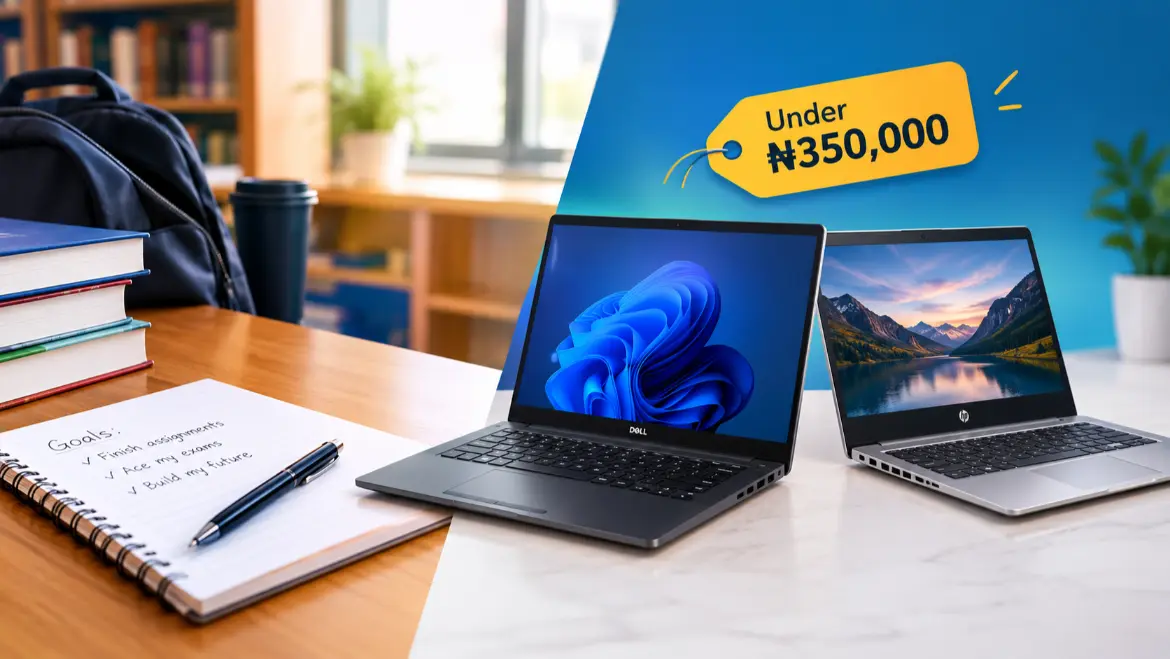
Finding the best student laptops under ₦350,000 in Nigeria requires understanding the harsh realities of the current computer market. Due to currency fluctuations and high import duties, a budget of ₦350,000 will not buy you a brand-new, high-performance Core i5 or Core i7 laptop. Instead, you face a clear choice: buy a brand-new but highly restricted entry-level processor (like an Intel Celeron or Chromebook), or opt for a certified UK-used (Tokunbo) business grade machine that offers five times the processing speed for the exact same price.
For university students handling regular typing, coding, statistics software, and virtual classes, performance cannot be sacrificed. This guide breaks down the top 5 verified HP and Dell laptop models currently selling below the ₦350,000 mark in local tech hubs like Computer Village Ikeja and online marketplaces.
The Reality of Buying a Laptop Under ₦350,000 in Nigeria
Most tech articles list brand-new laptops without mentioning that their prices have skyrocketed past ₦600,000. When you are limited to a ₦350,000 ceiling, you must understand what your money actually buys:
- Brand-New Options: These are strictly limited to basic configurations, such as the HP Stream 11 or HP ProBook x360 11 Education Edition. They use Intel Celeron processors and typically come with 4GB RAM. They are durable and excellent for basic typing or reading PDFs, but they choke under heavy multitasking, video editing, or programming.
- UK-Used (Tokunbo) Options: These are corporate laptops retired from overseas offices. Models like the Dell Latitude or HP EliteBook series feature robust magnesium-alloy frames, comfortable keyboards, Intel Core i5 or i7 processors, 8GB to 16GB of RAM, and fast Solid State Drives (SSDs). They easily fit within the ₦180,000 to ₦350,000 bracket and perform like premium machines.
Top 5 HP & Dell Student Laptops Under ₦350,000
- Dell Latitude 7490 (UK-Used)
- Performance: Powered by an Intel Core i5 processor with 8GB or 16GB RAM and a 256GB SSD.
- Build Quality: Built with a premium carbon fiber casing that handles rugged campus transport without denting.
- Student Value: Widely regarded as the ultimate student workhorse because parts are cheap and easy to source in local markets. It handles heavy programming, data analysis, and infinite web browser tabs cleanly.
- HP EliteBook 840 G5 (UK-Used)
- Performance: Standard configurations feature an 8th Gen Intel Core i5 or i7 processor paired with a 256GB SSD.
- Build Quality: Features a sleek, modern aluminum chassis that mimics premium MacBooks.
- Student Value: Excellent full-HD screen visibility for long study sessions and online lectures. The keyboard is spill-resistant, protecting the motherboard against accidental water or coffee splashes in crowded hostels.
- Dell Latitude 5480 / 5490 (UK-Used)
- Performance: Reliable Intel Core i5 configuration accompanied by an 8GB RAM framework.
- Build Quality: Slightly thicker than the 7000 series but built like a tank with reinforced hinges.
- Student Value: Stands out due to its exceptional battery runtimes. In secondary markets, it retains better overall cell capacity than slimmer ultrabooks, keeping you productive during localized power outages.
- HP ProBook x360 11 G7 EE (New or Open-Box)
- Performance: Leverages an Intel Celeron or Pentium processor with 4GB RAM and 128GB SSD.
- Build Quality: Coated in industrial rubber borders designed specifically to survive drop damage.
- Student Value: A true 2-in-1 hybrid that folds completely into a tablet for reading digital textbooks. It is highly energy-efficient, drawing minimal power when charging from small generators or portable power stations.
- HP Stream 11 Pro G4 / G5 (Brand New)
- Performance: Intel Celeron N3350 up to N4000 series, 4GB RAM, and quick boot-up SSD storage.
- Build Quality: Lightweight plastic construction optimized for maximum portability.
- Student Value: The best option for students who refuse to buy a secondhand computer. It handles basic Microsoft Word assignments, online assignments, and movie streaming perfectly while staying well under budget.
Crucial Inspections Before Paying for a UK-Used Laptop
If you choose a UK-used laptop to maximize your performance per Naira, do not just pay blindly. Walk into the shop or inspect the delivery using this specific diagnostic routine:
- Verify the Storage Type: Ensure the seller did not swap out the modern Solid State Drive (SSD) for an old, slow Hard Disk Drive (HDD) to cut costs. An HDD will make even a Core i7 processor feel slow and laggy.
- Run a Battery Report: Open the Windows search bar, type cmd, open the Command Prompt, and type <code>powercfg /batteryreport</code>. Open the generated file to check the “Full Charge Capacity” against the “Design Capacity.” If the battery health is below 70%, demand a replacement cell before paying.
- Check the Charger Amperage: Ensure the shop gives you an original follow-come charger (typically 45W or 65W for HP and Dell). Cheap generic chargers cause erratic mouse cursor movements, overheat quickly, and can kill your laptop’s charging ic chip over time.
- Inspect the Screen Closely: Boot the laptop onto a completely black background. Look closely for bright white spots (backlight bleeding) or dead pixels that will disrupt your reading.
Frequently Asked Questions
Can I play games or edit videos on a laptop under ₦350,000?
You can handle basic 1080p video cutting on Core i5 models like the Dell Latitude 7490 or HP EliteBook 840 G5. However, dedicated gaming laptops cost well over ₦450,000. These budget options lack dedicated graphics cards, so they are limited to light games like Football Manager or older titles.
Between HP and Dell, which brand has cheaper spare parts in Nigeria?
Both brands dominate Computer Village (Lagos) and No Man’s Land (Kano). However, Dell Latitude components tend to display slightly higher cross-model compatibility, making their screens, keyboards, and internal fans easier and slightly cheaper to replace if damaged.
Is a Chromebook safe for a university student?
Chromebooks are cheap and fast, but they run ChromeOS rather than Windows. Avoid them if your course requires specific desktop programs like AutoCAD, SPSS, MATLAB, or advanced accounting suites, as these applications generally will not run on standard ChromeOS builds.